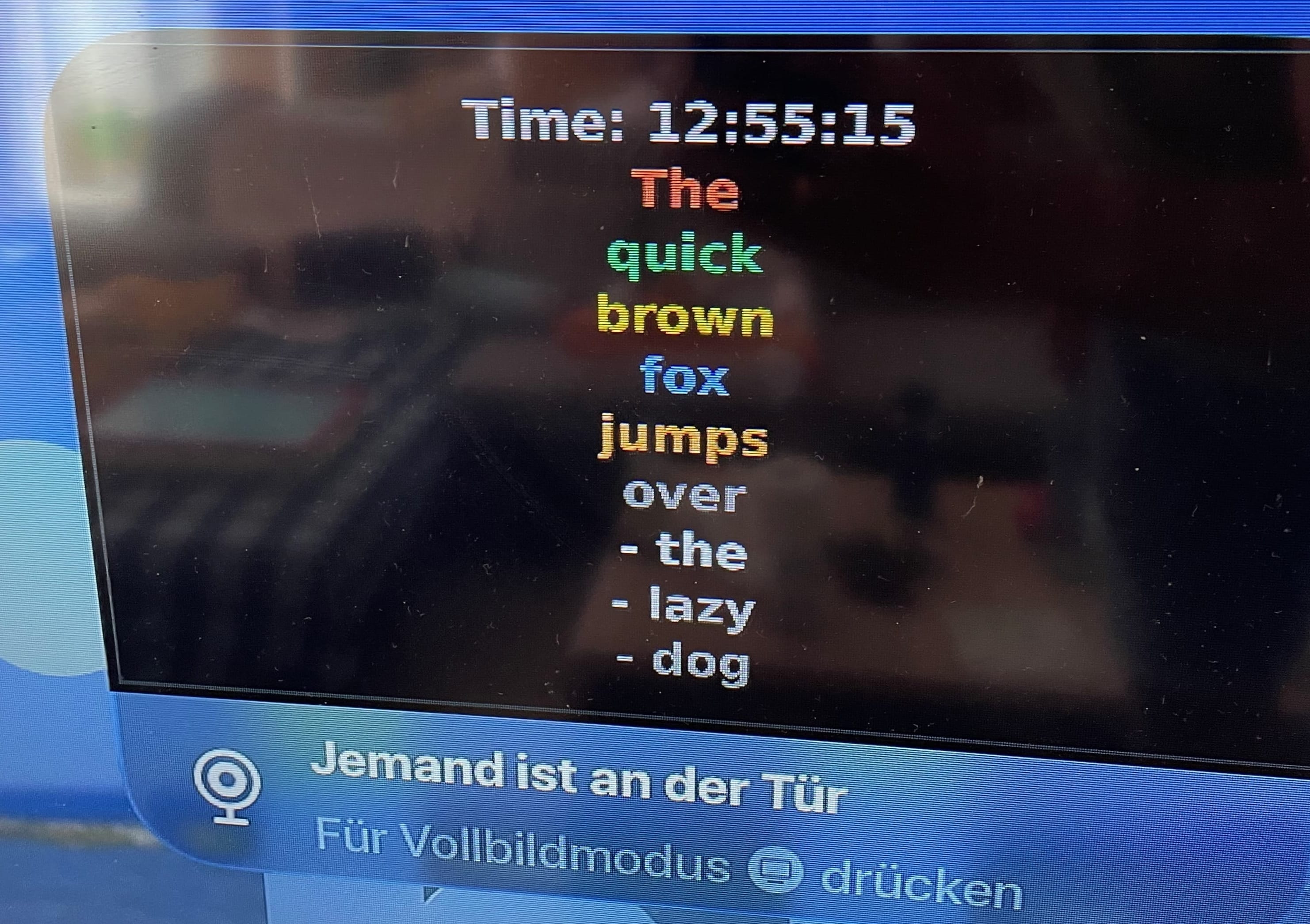
Prerequisites & Font Installation
-
The image generation script requires a TrueType Font (
.ttf) file to dynamically measure and auto-scale text size.Run the following command in the Home Assistant SSH / Terminal terminal to install the DejaVu font package and copy it to the local scripts folder:
apk add ttf-dejavu && cp $(find /usr/share/fonts -name "DejaVuSans-Bold.ttf") /config/scripts/notification_font.ttf -
Verify that the font file exists on disk and is approximately 700 KB:
ls -lh /config/scripts/notification_font.ttf
Image Generator Python Script
-
Create the file
/scripts/generate_tv_image.pyand paste the following Python code.This script accepts a Base64-encoded string, decodes multiline text, parses inline colour tags (such as [green]...[/green] or <red>...</red>), automatically scales the font size between 24pt and 150pt to fit the canvas, and outputs the rendered frame to
/config/www/tv_notification.jpg.import sys import os import base64 import re from PIL import Image, ImageDraw, ImageFont FONT_FILE = "/config/scripts/notification_font.ttf" COLOUR_MAP = { "red": (255, 85, 85), "green": (85, 225, 85), "yellow": (255, 215, 0), "blue": (100, 180, 255), "orange": (255, 150, 50), "grey": (160, 160, 160), "gray": (160, 160, 160), "white": (255, 255, 255), } TAG_PATTERN = re.compile(r'(\[/?#?[\w]+\]|)') def is_colour_tag(token): if not ((token.startswith('[') and token.endswith(']')) or (token.startswith('<') and token.endswith('>'))): return False content = token[1:-1].strip().lower() if content.startswith('/') or content in COLOUR_MAP: return True if content.startswith('#') and len(content) == 7: try: int(content[1:], 16) return True except ValueError: return False return False def parse_paragraph(text): tokens = TAG_PATTERN.split(text) colour_stack = [COLOUR_MAP["white"]] coloured_words = [] for token in tokens: if not token: continue if is_colour_tag(token): content = token[1:-1].strip().lower() if content.startswith('/'): if len(colour_stack) > 1: colour_stack.pop() elif content in COLOUR_MAP: colour_stack.append(COLOUR_MAP[content]) elif content.startswith('#') and len(content) == 7: try: rgb = tuple(int(content[i:i+2], 16) for i in (1, 3, 5)) colour_stack.append(rgb) except ValueError: pass else: current_colour = colour_stack[-1] parts = re.split(r'(\s+)', token) for part in parts: if part: coloured_words.append((part, current_colour)) return coloured_words def wrap_coloured_words(coloured_words, font, max_width, draw): lines = [] current_line = [] current_line_width = 0 for text, colour in coloured_words: bbox = draw.textbbox((0, 0), text, font=font) w = bbox[2] - bbox[0] if current_line_width + w <= max_width: current_line.append((text, colour)) current_line_width += w else: if text.isspace(): continue if current_line: lines.append(current_line) current_line = [] current_line_width = 0 current_line.append((text, colour)) current_line_width += w if current_line: lines.append(current_line) return lines if lines else [[("", COLOUR_MAP["white"])]] def generate_notification_image(): raw_arg = sys.argv[1] if len(sys.argv) > 1 else "No message provided" try: text_input = base64.b64decode(raw_arg.encode('utf-8')).decode('utf-8') except Exception: text_input = raw_arg output_path = "/config/www/tv_notification.jpg" if not os.path.exists(FONT_FILE) or os.path.getsize(FONT_FILE) < 10000: print("CRITICAL: Valid TTF font file not found.") sys.exit(1) CANVAS_W, CANVAS_H = 1280, 720 PAD_X, PAD_Y = 60, 50 MAX_W = CANVAS_W - (PAD_X * 2) MAX_H = CANVAS_H - (PAD_Y * 2) raw_paragraphs = text_input.replace("\\n", "\n").split("\n") dummy_img = Image.new("RGB", (1, 1)) draw_measure = ImageDraw.Draw(dummy_img) best_font_size = 28 best_all_lines = [] best_line_height = 36 # Scale font size from 150pt down to 24pt for font_size in range(150, 24, -4): font = ImageFont.truetype(FONT_FILE, font_size) line_height = int(font_size * 1.25) all_lines = [] for p in raw_paragraphs: p_str = p.strip() if not p_str: all_lines.append([("", COLOUR_MAP["white"])]) continue coloured_words = parse_paragraph(p_str) wrapped = wrap_coloured_words(coloured_words, font, MAX_W, draw_measure) all_lines.extend(wrapped) total_h = len(all_lines) * line_height max_line_w = 0 for line in all_lines: line_w = 0 for text, _ in line: if text: bbox = draw_measure.textbbox((0, 0), text, font=font) line_w += (bbox[2] - bbox[0]) if line_w > max_line_w: max_line_w = line_w if total_h <= MAX_H and max_line_w <= MAX_W: best_font_size = font_size best_all_lines = all_lines best_line_height = line_height break if not best_all_lines: best_font_size = 28 final_font = ImageFont.truetype(FONT_FILE, best_font_size) best_line_height = int(best_font_size * 1.25) for p in raw_paragraphs: p_str = p.strip() if not p_str: best_all_lines.append([("", COLOUR_MAP["white"])]) else: coloured_words = parse_paragraph(p_str) wrapped = wrap_coloured_words(coloured_words, final_font, MAX_W, draw_measure) best_all_lines.extend(wrapped) else: final_font = ImageFont.truetype(FONT_FILE, best_font_size) image = Image.new("RGB", (CANVAS_W, CANVAS_H), color=(0, 0, 0)) draw = ImageDraw.Draw(image) # Outer border accent draw.rectangle([12, 12, CANVAS_W - 12, CANVAS_H - 12], outline=(60, 60, 70), width=4) total_text_h = len(best_all_lines) * best_line_height start_y = max(PAD_Y, (CANVAS_H - total_text_h) // 2) curr_y = start_y for line in best_all_lines: line_w = 0 for text, _ in line: if text: bbox = draw.textbbox((0, 0), text, font=final_font) line_w += (bbox[2] - bbox[0]) start_x = max(PAD_X, (CANVAS_W - line_w) // 2) # Drop shadow x_pos = start_x for text, _ in line: if text: draw.text((x_pos + 4, curr_y + 4), text, fill=(20, 20, 20), font=final_font) bbox = draw.textbbox((0, 0), text, font=final_font) x_pos += (bbox[2] - bbox[0]) # Coloured text x_pos = start_x for text, colour in line: if text: draw.text((x_pos, curr_y), text, fill=colour, font=final_font) bbox = draw.textbbox((0, 0), text, font=final_font) x_pos += (bbox[2] - bbox[0]) curr_y += best_line_height image.save(output_path, quality=95) if __name__ == "__main__": generate_notification_image()
Home Assistant Configuration
-
Add the following configuration blocks to
/config/configuration.yaml:# 1. Allow external directory access for local image rendering homeassistant: allowlist_external_dirs: - "/config/www" # 2. Shell commands block shell_command: generate_tv_notification_image: 'python3 /config/scripts/generate_tv_image.py "{{ message | base64_encode }}"' # 3. Template Binary Sensor (Doorbell bridge for HomeKit) template: - binary_sensor: - name: "Apple TV Notification Doorbell" state: "{{ is_state('input_boolean.apple_tv_notification_trigger', 'on') }}" icon: mdi:bell-ring # 4. HomeKit Camera Export homekit: - name: "TV Notification Camera" mode: accessory filter: include_entities: - camera.apple_tv_notification_camera entity_config: camera.apple_tv_notification_camera: linked_doorbell_sensor: binary_sensor.apple_tv_notification_doorbell Save
configuration.yamland restart Home Assistant.
Creating Input Boolean & Local File
Under Devices & services → Helpers create
Input Booleanwith Entity IDinput_boolean.apple_tv_notification_trigger.-
Under Devices & services → Integrations create
Local Filewith:Name:
Apple TV Notification CameraFile path:
/config/www/tv_notification.jpg
Make sure an Entity
camera.apple_tv_notification_camerais created.
Notification Execution Script
-
Add this script via Settings → Automations & Scenes → Scripts:
alias: Send Apple TV Pop-up Notification
description: ''
fields:
  message:
    selector:
      text:
        multiline: true
        multiple: false
    name: Message
sequence:
  - action: shell_command.generate_tv_notification_image
    data:
      message: '{{ message }}'
  - delay:
      hours: 0
      minutes: 0
      seconds: 1
      milliseconds: 0
  - action: homeassistant.update_entity
    metadata: {}
    data:
      entity_id:
        - camera.apple_tv_notification_camera
  - delay:
      hours: 0
      minutes: 0
      seconds: 1
      milliseconds: 0
  - action: input_boolean.turn_on
    metadata: {}
    target:
      entity_id: input_boolean.apple_tv_notification_trigger
    data: {}
  - delay:
      hours: 0
      minutes: 0
      seconds: 2
      milliseconds: 0
  - action: input_boolean.turn_off
    metadata: {}
    target:
      entity_id: input_boolean.apple_tv_notification_trigger
    data: {}
HomeKit Pairing & Apple TV Settings
- Ensure
camera.apple_tv_notification_camerais not included in your primary UI-based HomeKit bridge configuration (Settings → Devices & Services → HomeKit). - Locate the notification titled HomeKit Pairing: TV Notification Camera and add the accessory to HomeKit. Ensure that the notifications for this are set to allow.
- Ensure that in Apple TV Settings (Settings → AirPlay and HomeKit → Cameras & Doorbells), Notifications are set to allow.
Automation Usage Examples
-
Climate Notification:
actions:
  - action: script.send_apple_tv_pop_up_notification
    data:
      message: |-
        Die Temperatur im Wohnbereich ist [red]{{
                states('sensor.climate_wb_temperature') }}°C[/red], die Luftfeuchtigkeit ist
                [blue]{{ states('sensor.climate_wb_humidity') }}%[/blue].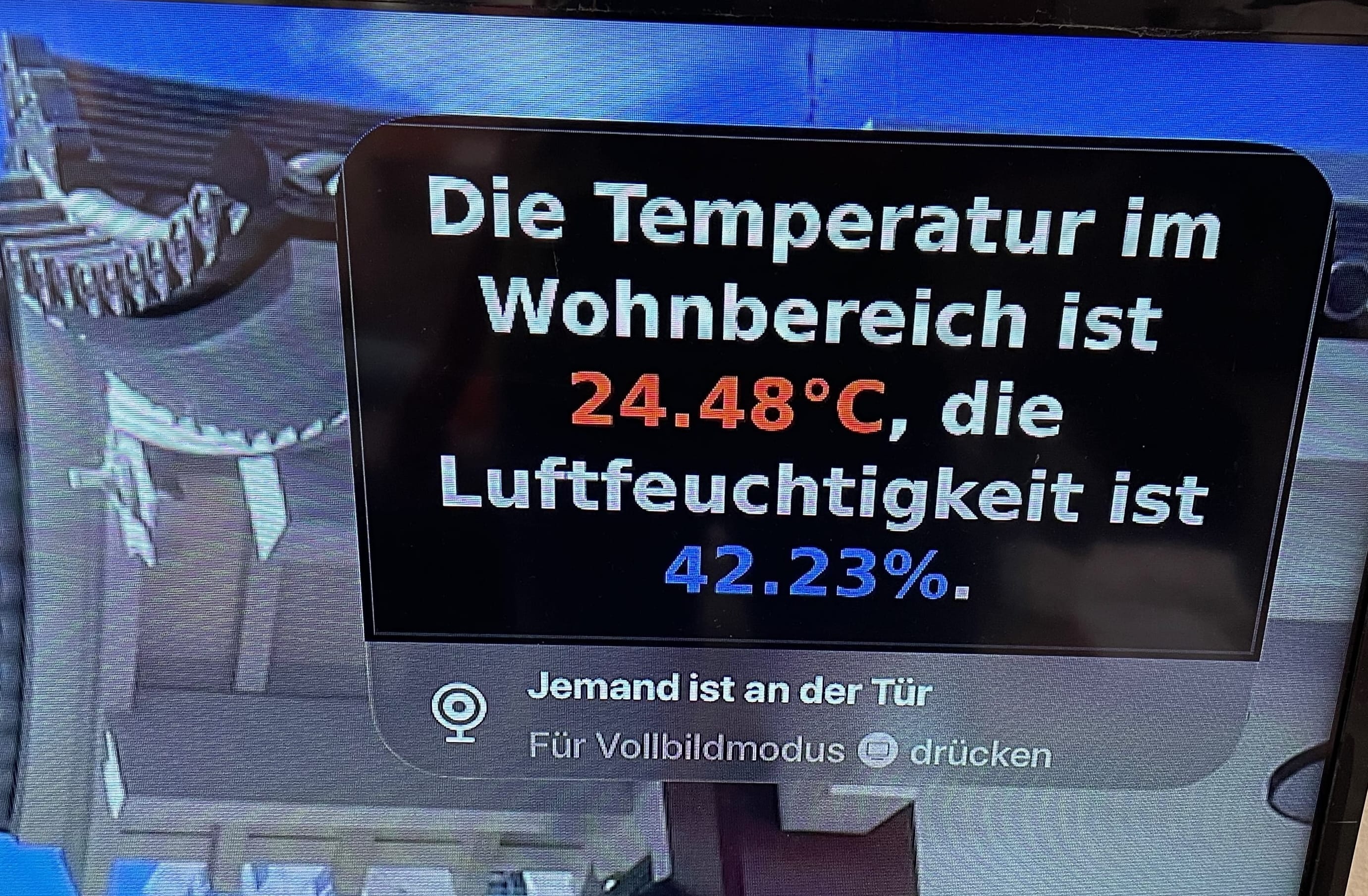
-
Random Alert:
actions: - action: script.send_apple_tv_pop_up_notification data: message: |- Time: {{ now().strftime('%H:%M:%S') }}The quick brown fox jumps over - the - lazy - dog